
In this post, we’ll explore the best tablets for university students in the UK, both budget and premium options.
Tablets are becoming increasingly popular among students, offering a mix of convenience, functionality, and affordability.
But why should you consider getting one? Let’s dive into the reasons why a tablet can transform your university experience.
🎓 Why Students Need a Tablet at University
✍️ 1. Enhanced Notetaking
Tablets are a game-changer for taking notes during lectures. With a digital pen, you can enjoy the familiarity of handwriting combined with the technological benefits of digital notetaking apps like OneNote, GoodNotes, or Notability. These apps allow you to:
- Keep notes organized in folders for each course.
- Highlight, edit, or restructure your notes easily.
- Use split screens to view lecture slides and notes simultaneously.
- Draw diagrams, create mind maps, and even annotate PDFs.
🎒 2. Portability and Flexibility
Tablets are lightweight and compact, making them easy to carry around campus. They’re perfect for studying on the go or during downtime between lectures.
With accessories like a wireless keyboard and mouse, a tablet can even double as a mini laptop, making it a versatile tool for students.
For those lazy days when you prefer to study in bed or on the sofa, a tablet is far more practical than a bulky laptop.
💷 3. Affordable Alternatives to Laptops
Budget tablets provide a cheaper alternative to laptops for students who don’t need heavy computing power. They’re great for attending online classes, taking notes, browsing the web, and streaming educational videos.
📱 The Best Budget Tablets for University
When choosing a tablet, it’s important to balance price and functionality. We’ve compiled a list of the best premium and budget tablets for university students in the UK, all of which support a stylus for notetaking and sketching.
(p.n. all links to Amazon)
✍️ 1. Apple iPad 10th Generation – Best Overall Premium Quality
Apple’s iPads are known for their premium design, seamless performance, and excellent app ecosystem.

The Apple iPad 10th Generation delivers all this at a more affordable price thanks to discounts on older models.
Pros:
- Exceptional performance for note-taking and multitasking
- Access to a wide range of educational apps on the App Store
- Stunning Retina display for a premium viewing experience
- Great resale value
Cons:
- Higher price compared to other options on this list
- Apple Pencil not included
💰 2. Samsung Galaxy Tab S10 Lite – Best Value for Money
This Samsung tablet offers excellent functionality at an affordable price, and the S Pen comes included.

The Samsung Galaxy Tab S10 Lite is a fantastic choice for students on a budget who don’t want to compromise on quality.
Pros:
- Comes with the S Pen, no additional purchase needed
- Fantastic for notetaking and sketching
- Strong battery life
- Affordable, especially for a Samsung product
Cons:
- Slightly smaller screen size compared to other options
- Limited multitasking compared to higher-end tablets
⚡ 3. XIAOMI Pad 7 – Premium Performance at a Budget Price
This tablet delivers premium features at a budget-friendly price, making it an excellent affordable choice for students.
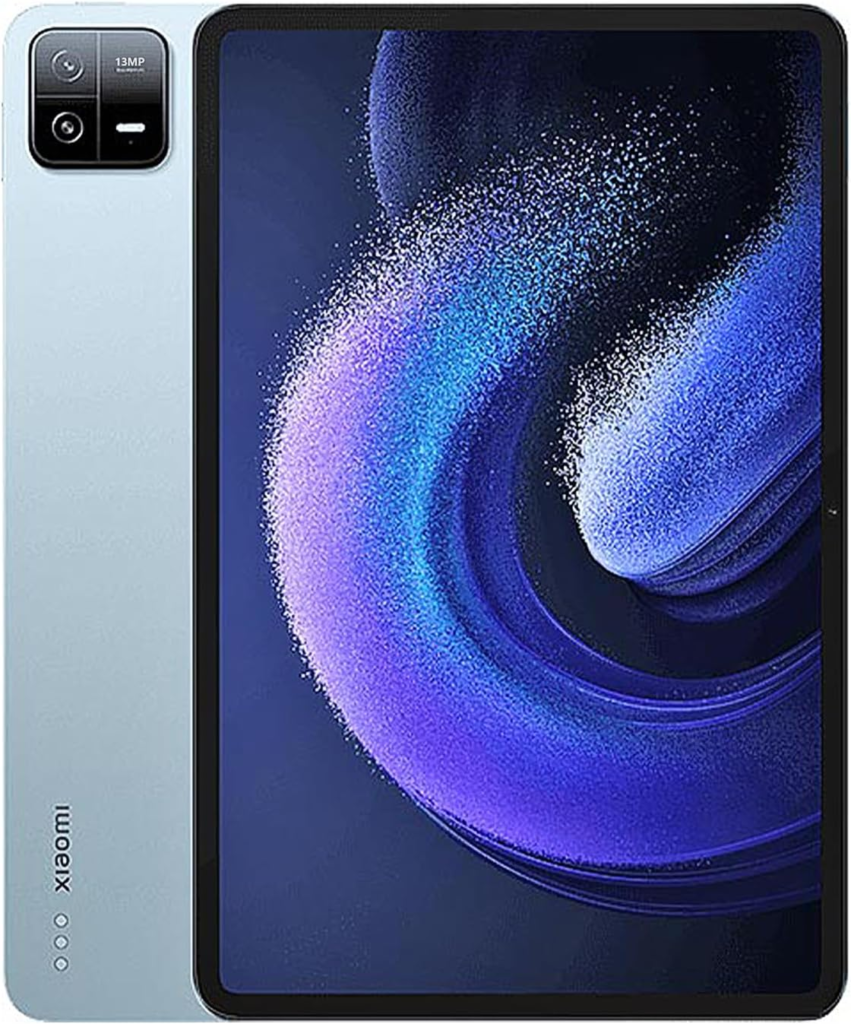
With a powerful Snapdragon processor, high-resolution display, and stylus support, the XIAOMI Pad 7 is ideal for multitasking, notetaking, and media consumption. Its lightweight build ensures easy portability, while the long battery life keeps up with a busy student schedule.
Pros:
- High-resolution 144Hz display
- Snapdragon 870 processor for smooth multitasking
- Long-lasting battery life
- Great value for the features
Cons:
- Xiaomi Smart Pen sold separately
- No cellular connectivity option
🚀 4. Huawei MatePad 11 – Mid-Range, Feature-Packed
This tablet offers impressive specs for its price, including a powerful processor, a stunning display, and support for the M-Pencil.
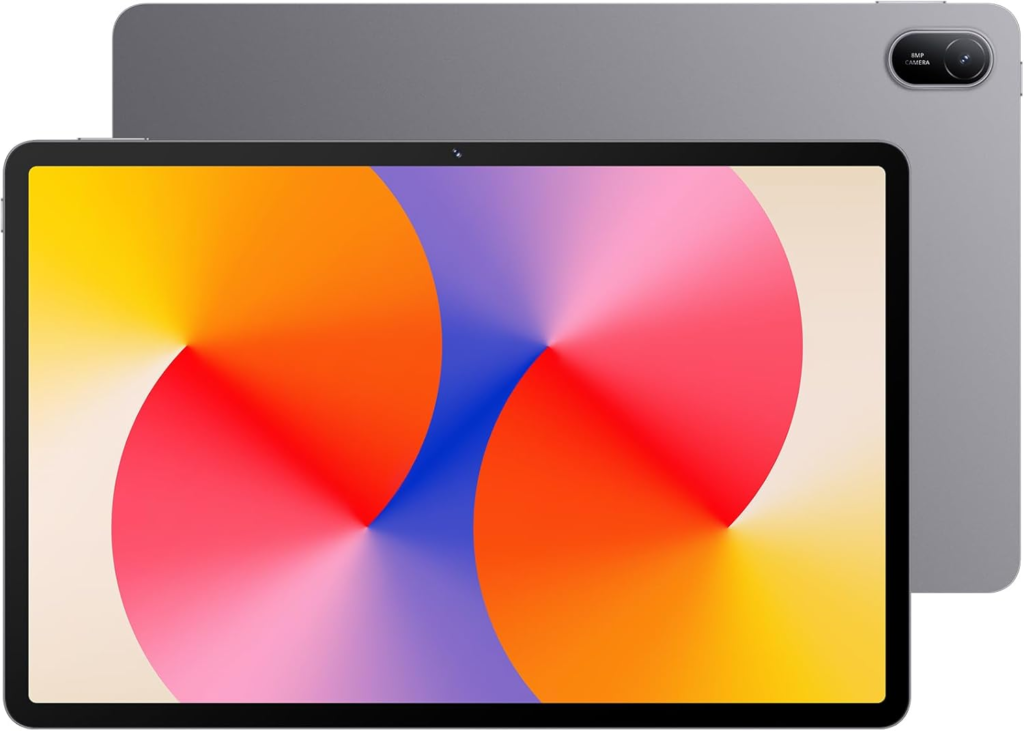
The Huawei MatePad 11 is an excellent option for students who value performance without breaking the bank.
Pros:
- High refresh rate display (120Hz)
- Powerful performance for multitasking
- Long battery life
Cons:
- Limited app compatibility (no Google Play Store, though workarounds exist)
- Stylus sold separately
💼 5. Microsoft Surface Go 3 – Best for Productivity
The built-in stand and compact size make this tablet a great option for productivity on the go.

The Microsoft Surface Go 3 integrates perfectly with Microsoft Office 365, making it ideal for students who frequently use Word, Excel, and PowerPoint.
Pros:
- Full Windows OS
- Compact and portable design
- Built-in kickstand
Cons:
- Surface Pen sold separately
- Higher price for accessories
🪶 6. Lenovo Tab M11 – Affordable and Lightweight
This is a great option for students who need a reliable tablet for notetaking and media consumption on a budget.
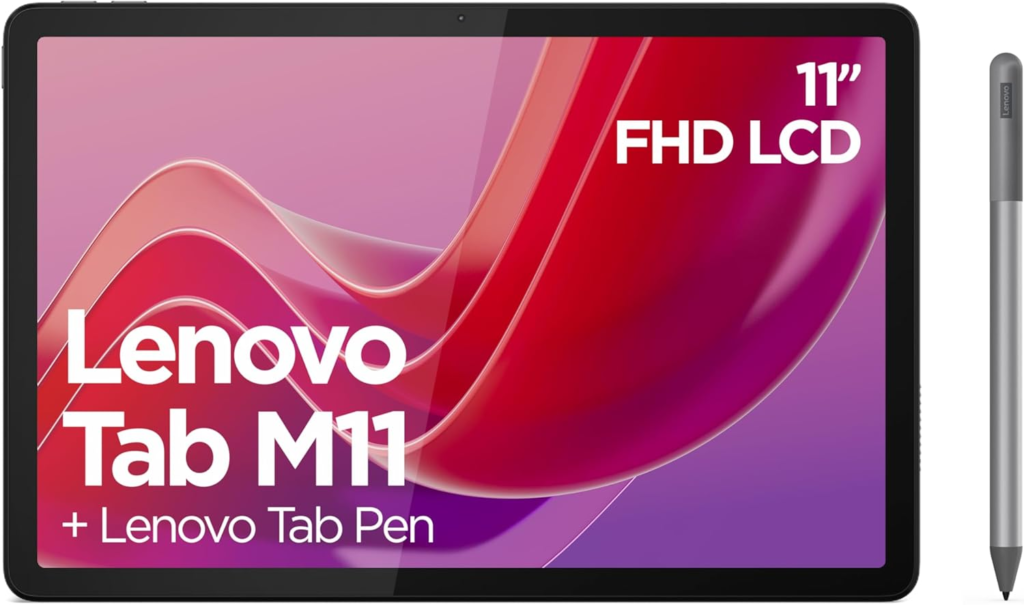
The Lenovo Tab M11 features a sharp 11-inch display and supports the Lenovo Precision Pen 2 for detailed notes and sketches.
Pros:
- Affordable price point
- Expandable storage
- Stylus compatibility for productivity
Cons:
- Limited performance for multitasking
- Stylus sold separately
🔥 7. Amazon Fire Max 11 Budget with Limited Stylus Options
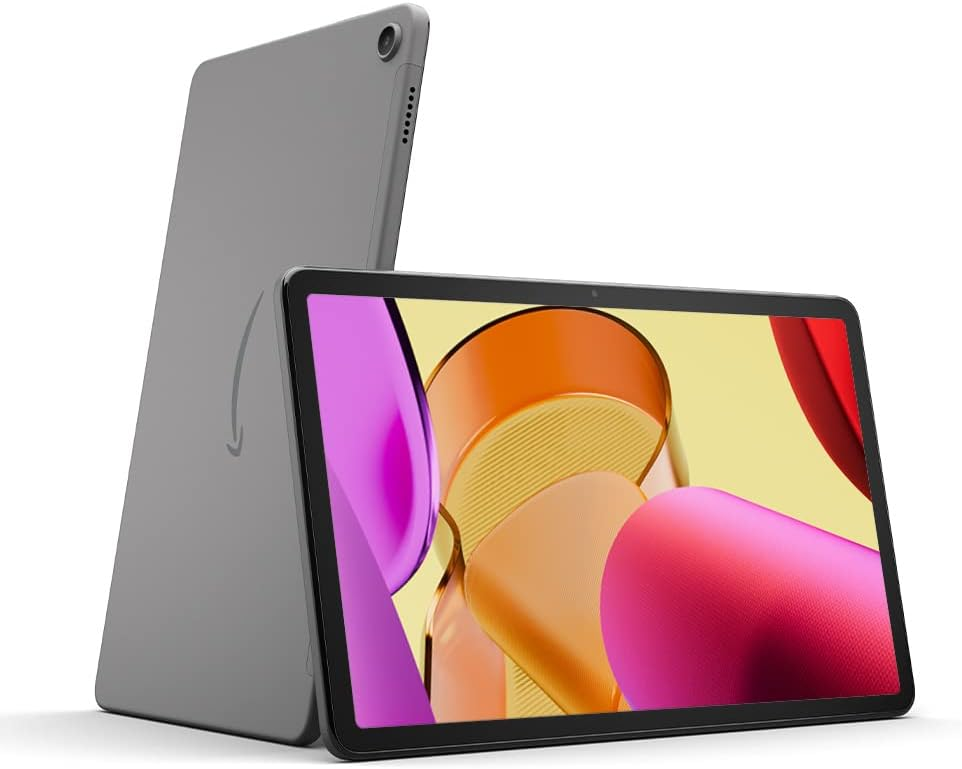
The Amazon Fire Max 11 is a budget-friendly option with decent specs for basic note-taking and streaming. It includes a stylus for notetaking and offers excellent battery life.
Pros:
- Highly affordable
- Includes a stylus
- Solid battery life
Cons:
- Limited app ecosystem compared to iOS and Android
- Performance suited for basic tasks only
📊 Best Budget Tablets for University- Summary Table
| Rank | Tablet | Pros | Cons |
|---|---|---|---|
| 1 | Apple iPad 10th Generation | Top-tier quality, seamless app integration, and unmatched performance. | Relatively high price; Apple Pencil sold separately. |
| 2 | Samsung Galaxy Tab S10 Lite | Best value with stylus included, portable and perfect for student use. | Less powerful than newer models; smaller screen. |
| 3 | XIAOMI Pad 7 | Premium display and performance at a budget price, ideal for multitasking. | Stylus sold separately; no cellular option. |
| 4 | Huawei MatePad 11 | High refresh rate, strong performance, good battery life. | Limited app ecosystem (no Google Play Store). |
| 5 | Microsoft Surface Go 3 | Full Windows OS, compact design, built-in kickstand. | Accessories (pen/keyboard) sold separately. |
| 6 | Lenovo Tab M11 | Affordable, lightweight, expandable storage. | Limited multitasking performance. |
| 7 | Amazon Fire Max 11 | Very affordable, includes stylus, strong battery life. | Limited app ecosystem, basic performance. |
💡 Bonus Tips for Students – Maximizing Your Tablet for University
- Use Cloud Storage: Apps like Google Drive and OneDrive make it easy to save and access files across devices.
- Download Student Apps: Take advantage of apps like Evernote, Grammarly, and Microsoft Office for productivity.
- Protect Your Device: Invest in a sturdy case to keep your tablet safe from accidental drops.
📝 Final Thoughts, Best Premium and Affordable Tablets for Students
In conclusion, choosing the best tablet for university depends on your personal needs and budget.
Whether you prioritize notetaking, portability, or affordability, there’s a tablet on this list that fits the bill.
For top-tier quality and seamless ecosystem integration, the Apple iPad 10th Generation stands out, while the Samsung Galaxy Tab S10 Lite offers excellent value with an included stylus.
Mid-range options like the Huawei MatePad 11 and XIAOMI Pad 7 balance performance and affordability, catering to students who need powerful multitasking capabilities.
If Windows compatibility is essential, the Microsoft Surface Go 3 is a versatile choice. The Lenovo Tab M11 provides great media and notetaking performance at a reasonable price, making it another solid choice for students.
For those seeking affordability, the Amazon Fire Max 11 provide reliable functionality for basic student tasks without breaking the bank.
With the right accessories and apps, a tablet can enhance your university experience and make your studies more efficient.
Thank you for reading our list of the budget tablets for university and best of luck on your studies!
🎓 Up next: Best Laptops for University.
❓ Frequently Asked Questions (FAQs)
A laptop is better suited for tasks that require heavy computing power, such as running multiple software programs or coding. However, a tablet is perfect for tasks like taking notes, attending online classes, and casual browsing. If you already own a laptop, adding a tablet to your toolkit can enhance your overall study experience.
Yes, most budget tablets are equipped with decent cameras and microphones, making them ideal for online learning. Popular apps like Zoom, Microsoft Teams, and Google Meet run smoothly on these devices.
Absolutely! A stylus pen allows for precise notetaking, sketching, and diagram drawing, which are invaluable for students. While some tablets include a stylus, others require a separate purchase.
Refurbished tablets can save you a significant amount of money. Ensure you buy from a reputable retailer offering a warranty for peace of mind.
For basic tasks like notetaking, browsing, and video calls, a tablet can serve as a laptop replacement. However, for more complex tasks like video editing or running specialized software, a laptop is a better option.
🎓 University Essentials – Everything You Need for Uni
Did you know? We’ve put together tailored student essential lists to help you through every aspect of university life!
- 📝 Student essentials: Everything you’ll need to stay prepared, productive, and comfortable during a typical Uni day.
- 💡 Accommodation essentials: Make your space feel like home (and don’t forget the stuff everyone forgets!).
- 🖥️ Study from home essentials: Tools and tips to create a distraction-free, efficient study setup.
- 🥘 Kitchen essentials: From budget-friendly basics to smart cooking tools that make life easier.
- 🎧 Coolest gadgets for university: Level up your uni experience with tech and tools students actually use.
🎓 Amazon Prime Student: The Ultimate Uni Perk!
- 🚚 Free Next-Day Delivery
- 🎬 Amazon Prime Video
- 🎶 Prime Music
- 🎓 Student-Exclusive Offers